


Moby
3.569.00 Reviews
App Specs
- Version
- 2026.04.24-15.55
- Updated On
- License
- Free
- Downloads
- 10,000+
- Developer
- Moby Invest
- Categories
- Finance
- Platform
- Android
Screenshots
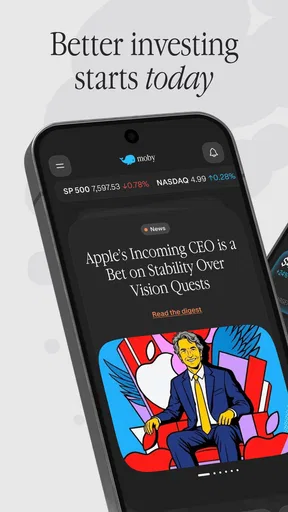
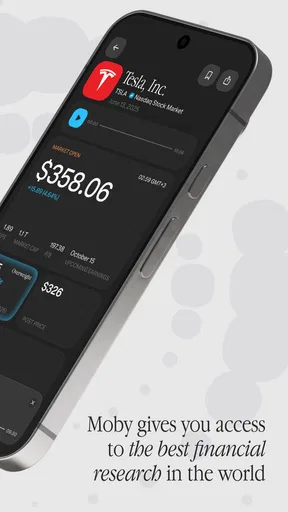
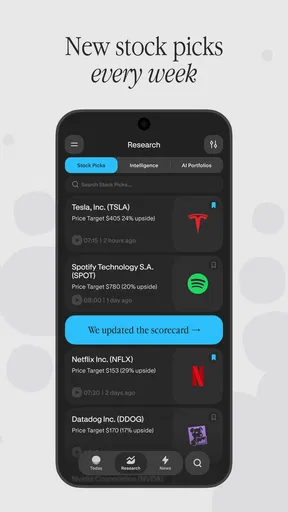
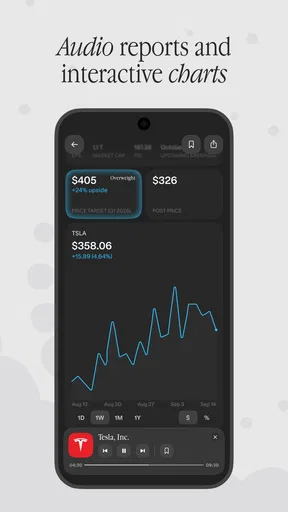
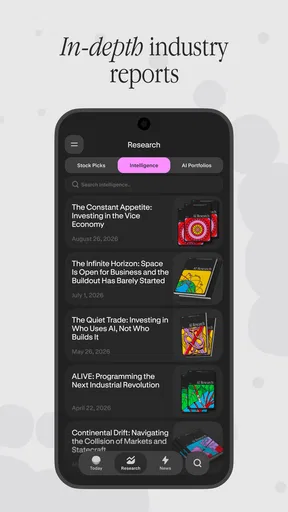
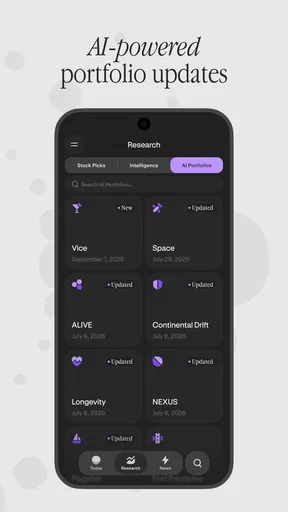
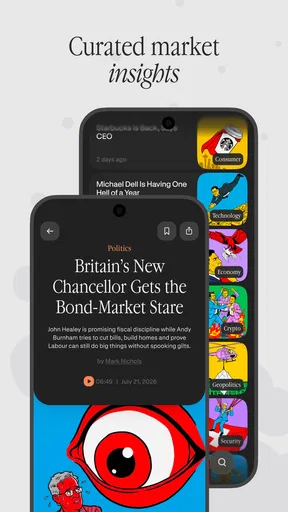
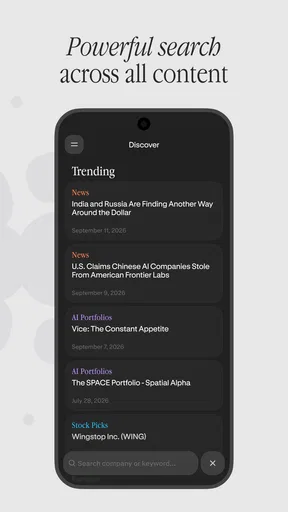
 Analysis by AppCompare
I judge finance apps less by how polished they look than by whether they help me make a better decision without making investing feel effortless or risk-free. Moby is aimed at people who want ideas and strategies to think through, rather than a substitute for learning the basics or choosing investments with care. That distinction matters: useful guidance can give you a starting point, but it still takes your own research and judgment to decide what fits your goals.
What I would expect from a quick session
Moby is a finance app from Moby Invest, and its focus is investing education and ideas. I would approach it as a place to explore how investors think about strategies, not as a promise of a particular return. The app is free to install, though it offers in-app purchases, so I’d check the terms of anything paid before committing and decide whether it adds enough value for my needs.
Its average rating is 3.5 from 237 ratings, with 67 written reviews, and it has 10K+ installs. Those figures suggest some people have found it worth trying, while the mixed rating is a reason to keep expectations measured. I’d use the app first to see whether its material suits my level and interests instead of assuming that a finance label means it will answer every investing question.
Where it can fit into a routine
The most practical way I’d use an investing-ideas app is in short, deliberate sessions. For example, if I have a spare moment before reviewing my monthly budget, I could explore an idea, note what assumptions it makes, and then check how those assumptions relate to my own time horizon and tolerance for losses. That turns browsing into a useful prompt for reflection rather than an impulsive reason to buy something.
A helpful habit is to keep a separate note of questions that an idea raises: what would make the strategy unsuitable, what risks might be easy to overlook, and what evidence I’d want before acting. I would not treat a compelling explanation as proof that an investment is right for me. Moby is best used as a starting point for learning and comparison, with independent research doing the work of checking whether an idea holds up.
Who should take a closer look
I can see Moby being useful for curious beginners who want a structured nudge to think about investing, and for more experienced readers who enjoy encountering strategies they can evaluate critically. It is a poorer fit for someone who wants a hands-off portfolio manager, direct reassurance about what to buy, or a guaranteed path to profit. Finance content is most valuable when it improves your questions, not when it encourages you to outsource your decisions.
The app is free, but in-app purchases range from $29.99 to $199.99 per item. That makes it sensible to explore the free experience first and be clear about what a purchase provides before paying. I’d compare any paid option with the value I expect to get from it, especially if I’m still learning the basics or only plan to use the app occasionally.
Worth Reading Before You Choose

Switching to Android Auto Means Rethinking Your Driving Routine

Google Calendar Makes a Crowded Week Easier to Manage

Baby Panda World Brings Quick Play to Modern Phones, but Its Game Library Feels Busy

ESPN’s Live Game View Makes Following Close Games Easier

QuizzLand Review: A Good Fit for Short Trivia Breaks, Not Every Player

Basketball Stars: Multiplayer Is Fast, but Can It Recover When Matches Go Wrong?
Performance, access, and the practical trade-offs
I’d use this section to judge Moby by the practical details that matter after the first download: how it feels during a focused reading session, whether I can pick up an idea after switching tasks, and how well it fits my device. Those checks help separate useful investing material from friction, and they also clarify when another finance resource may serve you better.
Speed and stability expectations
I can’t judge Moby’s speed or reliability from its investing focus alone, so I’d pay attention to how it behaves on my own phone: whether pages open promptly, whether text remains readable, and whether I can return to an idea without losing my place. The current version is 2026.02.19-12.18. As with any app that changes over time, a smooth experience can depend on the device and the version installed.
For heavier use, such as reading several pieces in one sitting and switching between the app and notes or research, I’d value clear navigation and easy recovery if I need to pause. A practical tip is to capture the source or title of an idea alongside my own questions, rather than relying on memory when I return later. If an app feels slow or interrupts reading on your device, that friction matters more than a general impression of speed.
Device fit and alternatives
Moby requires Android 7.0 or later and is rated for Everyone. I’d check compatibility before installing, particularly if I use an older device. For someone who wants broad market news, a brokerage app may be a better fit; for foundational lessons, a dedicated educational resource may be more useful. Moby’s appeal is specifically the chance to explore investing ideas and strategies, so the right comparison depends on whether that is what you need.
It was released on Apr 26, 2022, and its present version indicates that it continues to have a current build. That alone does not tell me how it will perform on every device, so I’d make a small first test: open the material I’m interested in, leave the app briefly, then return and see whether the reading flow still works for me. This is a simple way to decide whether it suits a daily routine before spending time or money on it.
My recommendation
For me, Moby makes the most sense as a supporting tool: a place to encounter investing concepts and then test them against reliable information, personal goals, and risk. I would not use it as my only source or treat an idea as an instruction. If you enjoy learning by comparing strategies and are comfortable doing your own checks, it may be worth exploring; if you need personalized financial advice or a turnkey investing service, I’d look elsewhere.
My bottom line is to begin with a specific question, explore the app without rushing into a purchase, and keep your decisions grounded in your own research. That approach makes Moby more useful while keeping its limits in view. Moby can be a helpful part of an investing-learning routine, provided you remain the one making the final call.
Getting Started with Moby
First things first, downloading the app was a breeze. Whether you’re using Android or iOS, Moby is readily available and super easy to install. Once you’ve got it on your phone, the setup is straightforward. You’ll be asked to enter some basic information to tailor the experience to your preferences. From there, it’s smooth sailing—or should I say, smooth riding?
Interface and User Experience
Now, let’s talk about how Moby looks and feels. The interface is clean and intuitive, which is a big win in my book. I’m not a fan of apps that try to throw everything at you at once, and Moby avoids this pitfall beautifully. The home screen presents you with all the essential tools you need, and navigating through the app is as easy as pie.
The color scheme is pleasant, with soothing blues and greens that make you feel relaxed even if you’re running late. The designers clearly put a lot of thought into making the app user-friendly, and it shows. Whether you’re tech-savvy or not, you’ll have no trouble getting the hang of it.
Features That Stand Out
One of the standout features of Moby is its real-time traffic updates. I mean, who doesn’t want to be ahead of the curve when it comes to avoiding traffic jams? The app uses advanced algorithms to provide you with the fastest routes, and I found it to be incredibly accurate. It’s like having a personal traffic assistant in your pocket.
Another cool feature is the ride-sharing option. If you’re someone who likes to save on gas and reduce your carbon footprint, this is a great way to do it. You can connect with other users heading in the same direction and split the cost, which is both eco-friendly and budget-friendly.
Moby also integrates with your calendar, ensuring you never miss an appointment. It sends reminders and suggests departure times based on current traffic conditions. This feature alone has saved me from being late to meetings more than once.
Performance and Reliability
Performance-wise, Moby is a solid performer. I didn’t experience any crashes or glitches during my time using the app, which is always a big plus. The updates are frequent, and the developers seem committed to ironing out any issues quickly. The GPS functionality is spot-on, and the app loads swiftly, even on older devices.
Reliability is crucial for an app like this, and Moby delivers. Whether you’re planning a long road trip or just commuting to work, you can count on it to get you there without a hitch.
Final Thoughts
So, is Moby worth downloading? Absolutely. It’s a game-changer for anyone looking to make their daily commute more efficient. With its user-friendly interface, reliable performance, and handy features, it’s a must-have for drivers and commuters alike. Plus, the added bonus of ride-sharing is a great touch for the environmentally conscious among us.
In a world where time is of the essence, Moby offers a practical solution to one of life’s most common annoyances: traffic. So, give it a go and see how it can transform your travel experience. Who knows, it might just become your new favorite app.
Pros
- User-friendly interface with intuitive navigation.
- Extensive library of music tracks available.
- Offline mode for music without internet.
- High-quality audio streaming.
- Customizable playlists for personalized experience.
Cons
- Ads can interrupt the listening experience.
- Premium features require a subscription.
- Limited free skips for tracks.
- Occasional app crashes reported.
- Large app size may affect storage.
FAQs for Moby
What is Moby and what features does it offer?
Moby is a versatile app designed to enhance productivity and organization. It offers features such as task management, calendar integration, and note-taking capabilities. Users can set reminders, collaborate with team members, and sync data across devices. Its user-friendly interface makes it accessible for both personal and professional use.
Is Moby available for both Android and iOS devices?
Yes, Moby is available for download on both Android and iOS platforms. It can be found on the Google Play Store for Android users and the Apple App Store for iOS users. The app is optimized for a seamless experience across smartphones and tablets on both operating systems.
Does Moby offer a free version, and what are the differences from the premium version?
Moby provides a free version with basic features suitable for everyday use. However, the premium version unlocks advanced functionalities like enhanced collaboration tools, additional storage options, and priority customer support. Users can choose a subscription plan that best fits their needs and upgrade anytime.
How secure is my data on Moby?
Moby prioritizes user privacy and data security. It employs encryption protocols to protect personal information and data stored within the app. Regular updates are released to address security vulnerabilities. Users are encouraged to enable two-factor authentication for an added layer of security.
Can I use Moby offline, and how does it sync data when online again?
Moby supports offline functionality, allowing users to access and edit tasks, notes, and calendars without an internet connection. Once reconnected, the app automatically syncs data across all devices to ensure consistency and up-to-date information, providing a seamless transition between offline and online use.


